MechaTrack User Guide
A simple, step-by-step guide to help you get the most out of your Auto Workshop Management system
📚 What You'll Learn
Dashboard Overview
Analytics & Reports
Adding Customers
Adding Vehicles
Service Orders & Status Updates
Invoicing & Payment Tracking
Inventory Management
SMS Notifications
Billing & Payment Reminders
Dark Mode, Light Mode & Logout
Overview: The Dashboard is the first screen you see when you log in. It gives you a quick overview of your garage's performance.
1
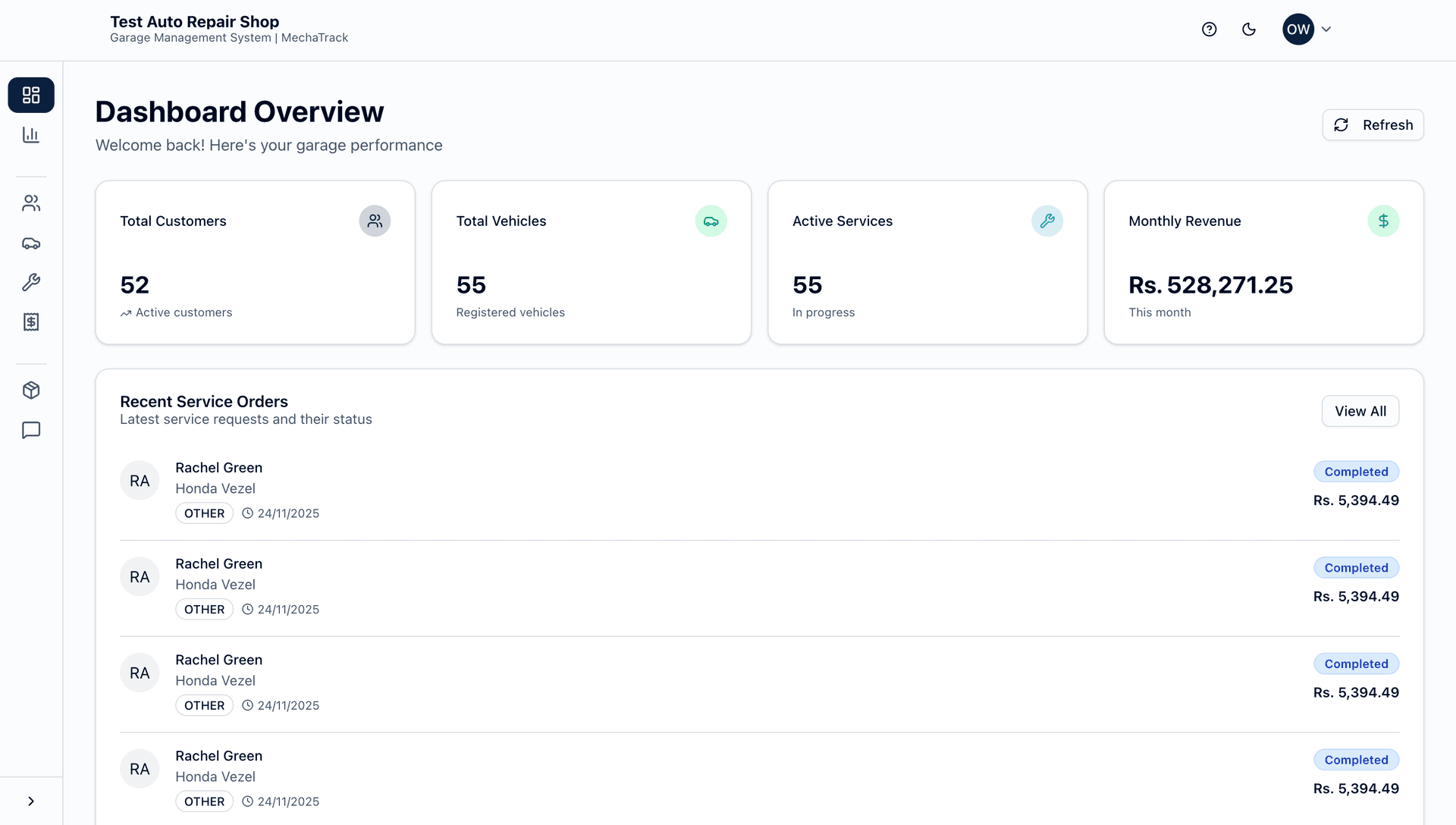
View Key Metrics
See important numbers like total customers, active service orders, revenue, and pending invoices at a glance.
2
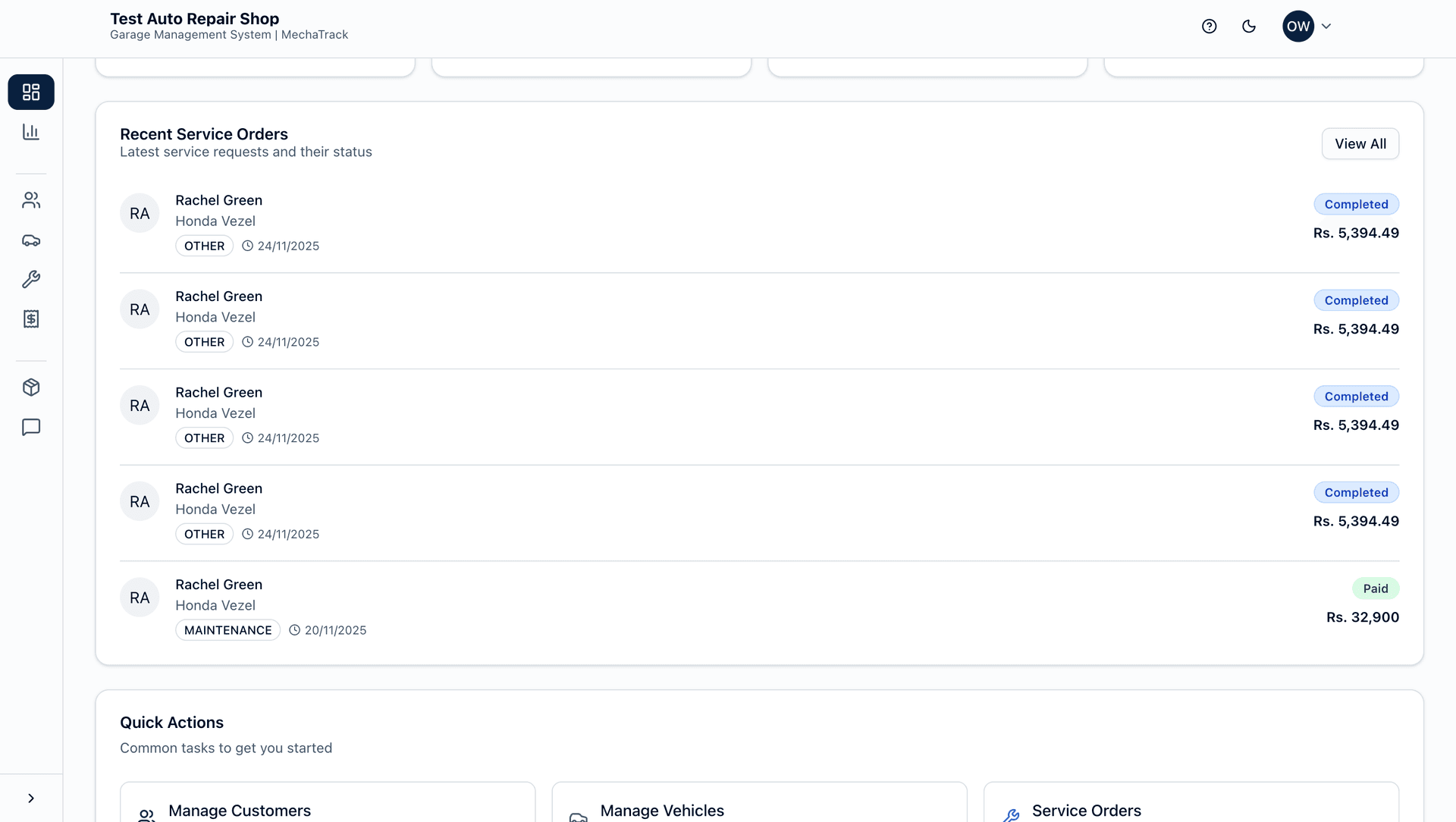
Recent Activities
Check the latest service orders, new customers, and recent invoices in one place.
3
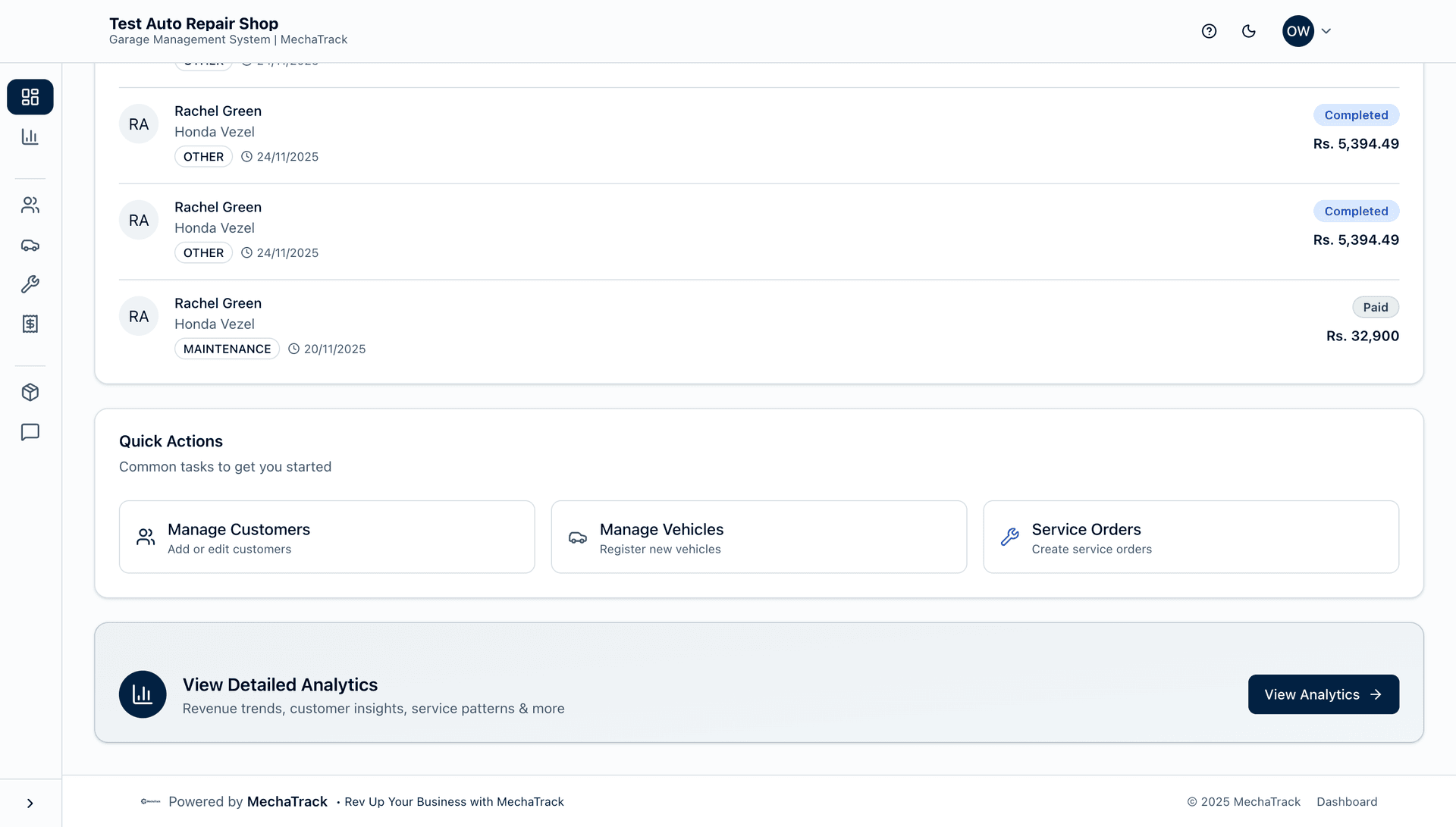
Quick Actions
Use quick action buttons to add new customers, vehicles, or service orders without navigating through menus.
Need More Help?
If you have any questions or need assistance, our support team is here to help you!
💡Quick Tips for Success
- ✓Start Simple: Begin by adding a few customers and vehicles before diving into advanced features.
- ✓Use Templates: Save time by using SMS templates for common messages.
- ✓Check Dashboard Daily: Make it a habit to check your dashboard every morning for a quick overview.
- ✓Keep Inventory Updated: Regularly update your inventory to avoid running out of important parts.
- ✓Monitor Billing: Keep an eye on your billing dates to ensure uninterrupted service.